

Not legal advice. This guide and template are general educational material for security professionals. Daily activity reports can become evidence in criminal cases, civil lawsuits and employment disputes, and the rules on what you must record, how long reports are kept and who may see them vary by state, employer and contract. Follow your employer’s written post orders and your state licensing rules, and talk to a licensed attorney if a report may be used in a legal matter. Never record anything you did not personally observe, and never alter a report after it is submitted.
Legal disclaimer: This page is for general information and education only. It is not legal advice, and reading it does not create an attorney-client relationship. Security Dogma is not a law firm. Laws, licensing rules and court decisions vary by state and change often, and what is written here may not match your situation or be current when you read it. Before you act on anything here, check the official rules from your state licensing agency, follow your employer’s and client site’s policies, and talk to a licensed attorney in your state for legal questions. See our Terms and Conditions and how facts are checked in our Editorial Policy.
Security Dogma is reader-supported. When you buy through links on this page, we may earn a commission at no extra cost to you. As an Amazon Associate I earn from qualifying purchases. Learn more
A daily activity report (DAR) is the record of everything that happened on your shift: when you arrived, what you checked, who came and went, what you found on patrol, and what the next officer needs to know. It is the most common document a security officer writes, and the one supervisors, clients and sometimes lawyers read most closely. A good DAR proves you did your job. A vague one makes it look like you didn’t, even when you did. This guide shows exactly what to include, how to write entries that hold up, a full example, and the mistakes to avoid. You can also download a free DAR template in our shift forms pack.
Quick answer
- What it is: a timed log of your entire shift, written as it happens
- Who reads it: your supervisor, the client, the next officer, and sometimes insurers, police or courts
- What goes in it: post and shift details, equipment check, patrols, visitors, deliveries, observations, incidents (summarized), and pass-down notes
- Golden rules: 24-hour time, facts not opinions, specific details, no gaps
- Best habit: take notes during the shift, not from memory at the end
- Free template: included in our free shift forms pack
DAR vs. incident report

New officers often confuse the two. They work together, but they are not the same document:
| Daily activity report (DAR) | Incident report | |
|---|---|---|
| When | Every shift, from start to finish | Only when something specific happens |
| Covers | Routine activity: patrols, checks, visitors, observations | One event in full detail: who, what, when, where, how |
| Length | A timed log, usually one to three pages | As long as the incident requires |
| Link between them | Notes the incident briefly with the time and report number | Gives the full account |
When something happens, your DAR gets a short entry (“0214 Responded to alarm, rear door. See incident report #1047.”) and the full story goes in the incident report. The DAR shows where the incident fits in your shift; the incident report explains it.
Who reads your DAR
- Your supervisor checks that patrols were done, problems were reported and post orders were followed.
- The client often receives DARs as proof of the service they pay for. Sloppy reports can cost your company the contract.
- The next officer relies on your pass-down notes to know what is still open.
- Insurers and lawyers may request DARs after a slip-and-fall, theft or assault on the property.
- Police and courts can use them as evidence. Write every DAR as if a judge will read it, because one might.
What to include in a DAR
1. Header information
- Your name and badge or license number
- Site name and exact post (for example, “Main lobby desk” or “Mobile patrol, Lots A–C”)
- Date and shift times (start and end, in 24-hour time)
- Supervisor on duty and how to reach them
- Weather and lighting conditions if you work outdoors
2. Start-of-shift check
Record what you received and its condition: radio and spare battery, keys (by number), access cards, flashlight, phone, body camera, vehicle and mileage. Note anything missing or broken and who you told. If keys or a radio go missing later, this entry protects you.
3. Timed activity log
This is the heart of the DAR. Every entry starts with the time, in 24-hour format, followed by what you did or saw. Typical entries include patrol rounds and checkpoints, doors and gates checked, visitors and contractors signed in and out, deliveries, alarm activations, lights out or hazards found, phone calls received, and any contact with police, fire or EMS.
4. Incidents (brief)
List each incident with the time, a one-line description and the incident report number. Keep the full detail in the incident report.
5. Pass-down notes
What the next shift must know: open issues, broken equipment, expected visitors or deliveries, people banned from the property, and anything you promised a client you would follow up on.
How to write entries that hold up
The difference between a weak DAR and a strong one is almost always detail. Compare:
| Weak entry | Strong entry |
|---|---|
| Did patrol. All OK. | 0215 Exterior patrol, Bldg A. All 6 exterior doors secure. Light out above loading dock door 3; reported to maintenance by email 0225. |
| Suspicious guy in parking lot. | 0347 Observed white male, approx. 30, 5’10”, gray hoodie, black jeans, checking car door handles in Lot B, row 4. Called police 0348 (dispatcher #212). Subject left on foot northbound on Elm St. at 0350. See incident report #1048. |
| Delivery came. | 1012 FedEx Freight truck, plate TX ABC-1234, driver J. Ramirez, delivered 3 pallets to dock 2. Signed for by receiving clerk M. Chen. |
| Fire alarm. | 2231 Fire alarm panel showed trouble signal, zone 4 (2nd floor east). Checked area: no smoke or fire. Called monitoring company 2234 (operator #18); technician dispatched, ETA 2330. |
- Use 24-hour time for every entry. “0347” can’t be misread; “3:47” can.
- Write facts, not opinions. Write “slurred speech, unsteady on feet,” not “drunk.”
- Be specific. Locations, door numbers, plate numbers, names, badge or dispatcher numbers, descriptions.
- Record who you notified and when, by name.
- Leave no unexplained gaps. A four-hour hole in your log looks like four hours of nothing.
- Never erase or white-out. On paper, draw one line through a mistake and initial it. On a tablet, follow your system’s correction process.
From the field — Yair Arad
My first tip is simple: be as detailed as possible. Every detail you write down is a question nobody has to ask you later, and a report that answers every question is a report that holds up.
My second tip: always jot down notes, or record voice notes, as things happen. Don’t trust your memory for the report. This habit served me both in security and in surveillance investigations.
I learned it the hard way. On one surveillance, the person I was investigating stopped at a house, and I didn’t write down the house number. At the end of the investigation, I had to drive 45 minutes back just to get that number so my report would be complete. It was a long drive for one detail I could have written down in five seconds.
Take notes during your shift
The best DARs are written from notes taken in real time, not reconstructed at 0545 from memory. Some practical ways to do it:
- A pocket notebook and pen. Cheap, reliable and works in any weather. Write the time first, then the detail.
- Your phone or tablet, if your employer allows it. Many security companies use reporting apps that timestamp entries for you.
- Voice notes, quick and hands-free on patrol, if your employer allows them. Record notes to yourself, not other people: laws on recording conversations vary by state, so follow your company’s policy.
- Photos, where permitted, of hazards, damage and license plates, noted in the DAR with the time taken.
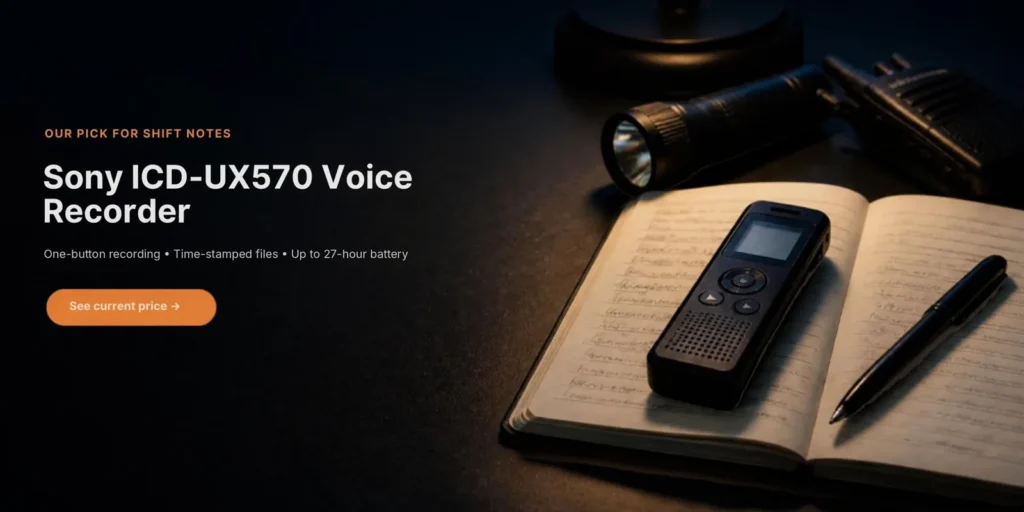
Want a dedicated voice recorder?
Your phone can record voice notes, but many officers prefer a small dedicated recorder. It starts recording with one button, the battery lasts far longer than a phone’s, it keeps your notes separate from your personal device, and it works on posts where personal phones are not allowed on duty. When choosing one, look for one-touch recording, a clear date and time stamp on every file, long battery life, enough storage for weeks of notes, and an easy way to move files to a computer.
Before you use any recorder on duty, check your employer’s policy. Use it for notes to yourself; recording other people’s conversations is governed by state law and company rules.
Write the notes into your DAR as soon as you can, ideally after each patrol rather than at the end of the shift. Keep your field notes as your employer directs; in some cases they can be requested along with the report.
Example: a complete DAR
Here is an example for a fictional overnight post at an office building. Your form may look different, but the content should be this complete.
| Field | Entry |
|---|---|
| Officer | J. Smith, license #12345 |
| Site / post | Riverside Office Park, Bldg A lobby desk + exterior patrol |
| Shift | 2200–0600, Tuesday |
| Supervisor | R. Lopez, on call, cell on post orders |
| Start-of-shift check | Radio #4 + spare battery OK. Keys ring 7 (14 keys) OK. Flashlight OK. Body camera #2 charged. Access card #A-22 OK. |
| Time | Activity |
|---|---|
| 2200 | On post. Received pass-down from D. Brown: east stairwell door 2-E sticks; maintenance aware. |
| 2215 | Lobby and elevator check. All clear. Front doors locked per post orders. |
| 2240 | Contractor K. Patel (CleanCo, badge 556) signed in for 3rd-floor cleaning. |
| 2300 | Exterior patrol. 6 of 6 doors secure. Light out above loading dock door 3. Emailed maintenance 2312. |
| 2350 | Interior patrol, floors 1–4. Door 2-E did not latch; secured manually. |
| 0105 | K. Patel signed out. 3rd floor checked after departure; all doors locked. |
| 0214 | Alarm, rear door 1-R. Responded; door closed and secure, no signs of entry. Monitoring co. notified 0216 (operator #18). See incident report #1047. |
| 0300 | Exterior patrol. All secure. Light at dock door 3 still out. |
| 0347 | Male checking car door handles, Lot B row 4. Police called 0348 (dispatcher #212). Subject left northbound on Elm St. 0350. Incident report #1048. |
| 0405 | Police unit 22 arrived, Officer T. Nguyen (#4471). Provided description and camera timestamps. |
| 0500 | Interior patrol, floors 1–4. All secure. |
| 0555 | Pass-down to M. Clark. Equipment returned in the same condition as received. |
| Field | Entry |
|---|---|
| Incidents | #1047 rear door alarm, 0214. #1048 suspicious person, Lot B, 0347. |
| Pass-down | Dock door 3 light still out (maintenance emailed 2312). Door 2-E not latching. Police may call about #1048; case number to follow. |
Common DAR mistakes
- “All quiet” for the whole shift. Even a quiet shift has patrols, checks and times. Log them.
- Writing it all at the end. Times become guesses and details disappear.
- Opinions and slang. “Sketchy,” “drunk,” “crazy” and “attitude” invite challenges. Describe what you saw and heard.
- Missing names and numbers. Who you called, their badge or operator number, plate numbers, report numbers.
- Copy-paste entries. Identical entries night after night suggest the patrols didn’t happen.
- Leaving out your own mistakes. If you missed a round because you were handling an incident, say so and why.
Paper or electronic?
Many companies now use guard-tour or reporting apps that timestamp entries, scan checkpoints and attach photos. They make reports faster and harder to dispute, but the same rules apply: be specific, write facts, and fill gaps. If your post still uses paper, write legibly in ink, number your pages and keep copies as your employer directs. Either way, the officer, not the app, is responsible for what the report says.
Download a free DAR template
Our free shift forms pack includes a ready-to-use daily activity report with post and shift details, a start-of-shift equipment check, a timed activity log, an incident summary and pass-down notes, plus a patrol checkpoint log and a shift pass-down log. Print them or fill them in on your computer.
Frequently asked questions
What is a daily activity report in security?
A timed record of everything a security officer did and observed during a shift: patrols, checks, visitors, deliveries, incidents (in brief) and notes for the next shift.
What is the difference between a DAR and an incident report?
A DAR covers your whole shift in a timed log. An incident report gives the full details of one specific event. The DAR references the incident report by time and number.
Should I use 24-hour time in a DAR?
Yes. It prevents confusion between morning and evening and is standard in security reporting.
How detailed should a DAR be?
As detailed as possible: exact times, locations, door and plate numbers, names, descriptions and who you notified. Anyone reading it should understand your shift without asking you questions.
Can a DAR be used in court?
Yes. DARs can be requested by insurers, lawyers and courts. Write facts, avoid opinions and never alter entries after the fact.
Can I take notes on my phone during a shift?
If your employer allows it. Many companies use reporting apps. Otherwise, a pocket notebook works well. Follow company policy on recording audio.
Next steps
- → Free shift forms (DAR, patrol log, pass-down log)
- → Two-way radios for security guards
- → How to become a security guard
- → Armed vs. unarmed security guards
- → Can security guards detain people?
- → Free incident report template
- → Security guard equipment list
- → How to use AI to write security reports
- → Voice recorders and AI note-takers