
Security Dogma is reader-supported. When you buy through links on this page, we may earn a commission at no extra cost to you. As an Amazon Associate I earn from qualifying purchases. Learn more
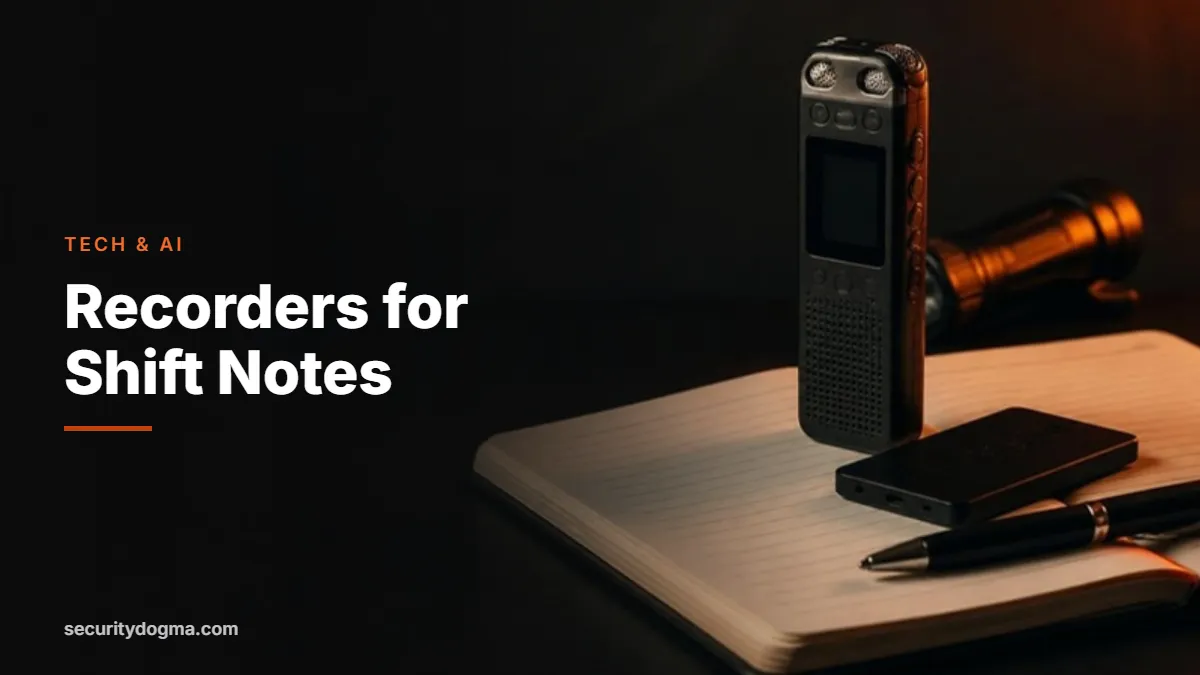
Good reports are built on good notes, and the fastest way to take notes in the field is to speak them. A voice recorder lets you capture a time, a plate number or a description in five seconds without taking your eyes off the scene. A newer generation of AI note-takers goes further and turns those recordings into searchable text and summaries.
This guide compares the best voice recorders and AI note-takers for security officers, explains which type suits which job and covers the legal and policy questions you must answer before you press record. It’s part of our security guard technology and AI guide.
Quick answer
- Best overall: Sony ICD-UX570. One-button recording, time-stamped files, rechargeable, microSD slot.
- Best budget: Sony ICD-PX370. Runs on AAA batteries you can swap mid-shift.
- Best AI note-taker: Plaud Note. Records in person and on calls, transcribes and summarizes in the app.
- Best wearable: Plaud NotePin. Clips on, wears on a lanyard or wristband.
- Before you record: check your state’s consent rules and your post orders. Recording your own spoken notes is very different from recording other people.
Why security officers use voice recorders
An officer on patrol is constantly collecting details: the time a door was found open, a vehicle description, who was notified, what a witness said. Writing all of that down slows you down and takes your eyes off your surroundings. Trying to remember it at the end of a 12-hour shift is worse. Details blur, times drift and small facts disappear, and those are exactly the facts supervisors, clients and lawyers ask about.
A recorder solves both problems. You press one button, say “0214, white Honda Accord, partial plate 8KD, northbound out of lot C,” and keep moving. Every file is time-stamped, so even your notes carry a record of when they were made. At the end of the shift you play them back, or transcribe them, and write a complete daily activity report or incident report from facts instead of memory.
Your phone can do the same thing, and for many officers that’s the right place to start. A dedicated device still has advantages: it starts faster, its battery doesn’t compete with calls and apps, it keeps work notes off your personal phone, and it works on posts where personal phones aren’t allowed while on duty.
Traditional recorder or AI note-taker?
| Traditional digital recorder | AI note-taker | |
|---|---|---|
| How it works | Records audio files to internal memory | Records audio, then an app transcribes and summarizes it, usually in the cloud |
| Best for | Quick spoken notes in the field | Long dictation, meetings, briefings and training |
| Typical cost | Low, no subscription | Higher, with free and paid transcription plans |
| Privacy | Audio stays on the device until you move it | Audio is uploaded for processing; check the provider’s terms and your policy |
| Works without signal | Yes | Records yes; transcription needs a connection |
| Report workflow | Play back and type | Read the transcript, then write or edit your report |
For most patrol and site officers, a simple recorder is the better first purchase. If you dictate a lot, run briefings or want your notes searchable, an AI note-taker is worth the extra cost, as long as your employer allows it.
The best voice recorders and AI note-takers for security officers
Prices change often, so the buttons below show the current price. Specs come from the manufacturers’ published information.
Sony ICD-UX570
4GB + microSD slot · built-in USB plug · rechargeable · about 48 g
Slim enough for a shirt pocket, records cleanly at the touch of a button and time-stamps every file. The built-in USB plug means no cable to lose: plug it into a computer and copy your notes. The microSD slot adds storage for weeks of shifts.
Watch out for: No transcription; you listen back or use separate software.
See current price →Sony ICD-PX370
4GB + microSD slot · 2 AAA batteries · up to 57 hours of recording · built-in USB
Runs on two AAA batteries, rated by its seller for up to 57 hours of recording, so you can swap in fresh batteries in seconds instead of waiting to charge. A simple, rugged choice for long or back-to-back shifts.
Watch out for: Mono recording and a bulkier body than the UX570.
See current price →Plaud Note
64GB · up to 30 hours continuous · in-person and phone call recording · 112 languages
Credit-card thin and attaches magnetically to the back of your phone. The app transcribes and summarizes recordings, with 300 free transcription minutes a month on the starter plan and paid plans for more.
Watch out for: Cloud processing and subscription costs; check your employer’s policy before using it for work.
See current price →Plaud NotePin
64GB · up to 20 hours continuous · pin, clip, lanyard or wristband · 0.59 oz
Wears like a badge or on a wristband, so it’s always within reach on patrol. Same transcription app as the Plaud Note.
Watch out for: No phone-call recording, and the same cloud and policy questions as other AI note-takers.
See current price →From the field — Yair Arad
Always jot down notes, or record voice notes, as things happen. Don’t trust your memory for the report. This habit served me both in security and in surveillance investigations.
On one surveillance, the person I was investigating stopped at a house, and I didn’t write down the house number. At the end of the investigation, I had to drive 45 minutes back just to get that number so my report would be complete. A recorder in my pocket would have saved me that drive.
What to look for in a recorder for security work
- One-touch recording. You should be able to start recording by feel, without looking, in under two seconds.
- Accurate time stamps. Set the date and time when you first use the device, and check it after battery changes. Wrong time stamps undermine your notes.
- Battery that outlasts your shift. Rechargeable models are convenient; AAA models can be refreshed instantly.
- Enough storage. Spoken notes take very little space, but a microSD slot or a large internal memory means you never have to delete in the middle of a shift.
- Easy transfer. A built-in USB plug or a simple app gets files into your report quickly.
- Size and mounting. Pocket, clip, lanyard or phone mount: it should sit where your hand naturally goes.
- Quiet controls. On a stakeout or a quiet post, beeps and lights draw attention. Check that you can turn them off.
How to use a recorder on shift: a simple routine

- Start of shift: check the battery, storage and the clock. Say the date, your post and the shift times as the first recording.
- At every event: record the time, the location, what you saw, what you did and who you told. Keep it short and factual.
- Spell out what matters: plate numbers letter by letter, house numbers, names (if you’re allowed to record them) and directions of travel.
- Describe, don’t judge: “male, about six feet, gray hoodie, walking along the east fence” instead of “a suspicious guy.”
- End of shift: play back or transcribe the notes and write your report while they’re fresh.
- Store or delete as directed: follow your employer’s rules on how long to keep notes and where to keep them.
If you use AI to help turn transcripts into a report, follow the rules in our AI report-writing guide: strip personal details, tell the AI not to add anything, and check every line before you sign.
Recording laws: notes vs. conversations
For every state’s rule and the statute behind it, see our recording laws by state guide.
Recording your own voice as a memo is generally not a legal issue. Recording other people’s conversations is. Federal law follows one-party consent: you can record a conversation you’re part of. But a group of states require consent from everyone in at least some situations. A 2024 summary by the law firm Kilpatrick lists California, Connecticut, Delaware, Florida, Illinois, Maryland, Massachusetts, Montana, Nevada, New Hampshire, Oregon, Pennsylvania and Washington. Some of those rules apply only to phone calls or to conversations where people expect privacy, which is why the details matter. The same consent rules apply to a dash cam that records audio, which our dash cam guide explains.
On top of state law, your employer’s post orders and the client’s policy decide whether you may record at all. Many officers keep it simple: they record only their own spoken notes, step away from people to do it, and use a body camera under a written policy when recording interactions is part of the job.
Privacy and data security
Your recordings may contain names, plate numbers and details of incidents that belong to your employer and client, not to you. Lock your phone and protect the app with a passcode, don’t upload work recordings to personal cloud folders, and with AI note-takers, read the provider’s privacy terms and get approval before you use them for work. When an AI note-taker sends audio to the cloud for processing, that information leaves your hands.
Free alternative: your phone
If you’re not ready to buy anything, use what you have. Both iPhone and Android phones include voice recorder apps, and many can transcribe on the device. Add a widget or shortcut to your lock screen so you can start recording quickly. If your phone becomes your notebook, a good case and a power bank matter; see our tech gear for security guards guide.
Frequently asked questions
Can security guards carry voice recorders?
In most places nothing prohibits carrying one, but your employer and the client can restrict it. Recording other people’s conversations is also limited by state consent laws. Ask your supervisor and check your post orders.
Is it legal to record my own notes at work?
Recording your own voice describing what you saw is generally fine. The legal issues arise when you record other people, especially in all-party consent states.
Are AI note-takers safe for security work?
They can be, if your employer approves them and you understand that audio is usually processed in the cloud. Don’t use them for confidential client information without permission.
How long should I keep my recorded notes?
Follow your employer’s retention policy. If an incident might lead to a claim or court case, don’t delete anything until your supervisor tells you how to handle it.
Can I use my notes in court?
Notes made at the time of an event can help you refresh your memory when you testify. What matters is that they are accurate, time-stamped and handled according to policy.
Sources
- Sony — ICD-UX570 specifications
- Abt — Sony ICD-PX370 specifications
- Plaud — Plaud Note
- Plaud — Device comparison
- Kilpatrick — Wiretap laws in the United States
Verified against the sources above in October 2026. Specs, prices and laws change; check the current listing and your state’s law before relying on them.
Legal disclaimer: This page is for general information and education only. It is not legal advice, and reading it does not create an attorney-client relationship. Security Dogma is not a law firm. Laws, licensing rules and court decisions vary by state and change often, and what is written here may not match your situation or be current when you read it. Before you act on anything here, check the official rules from your state licensing agency, follow your employer’s and client site’s policies, and talk to a licensed attorney in your state for legal questions. See our Terms and Conditions and how facts are checked in our Editorial Policy.