
Security Dogma is reader-supported. When you buy through links on this page, we may earn a commission at no extra cost to you. As an Amazon Associate I earn from qualifying purchases. Learn more
If you work out of your own car, a dash cam does two jobs. It protects you when someone later claims you caused a crash, cut them off or did something you did not do. And it gives your report a timestamped record of where you were and what the road looked like. This guide covers the cameras worth buying, what separates a camera that records from one that holds up as evidence, and the audio laws that catch professionals out.
Looking for the whole stakeout kit? See our private investigator equipment list. Wearing a camera on foot? See our body camera guide.
How we picked. This is a research-based guide. We did not hands-on test these cameras. We compared manufacturer specifications, published reviews and community review scores, then checked what is selling on Amazon in October 2026. Amazon shows a rounded “bought in past month” badge on many listings. It tells you what is popular, not what is reliable, so each pick below says what to watch out for.
Quick answer
- Best evidence-first pick: VIOFO A229 Pro. Native 4K front camera, GPS, 2K rear, buffered parking mode.
- Most popular on Amazon: ROVE R2-4K Dual. Check whether the 4K is native or upscaled before you buy.
- Best with a cabin camera: Vantrue N4 Pro S. Three channels, optional LTE.
- Most discreet: Garmin Dash Cam Mini 2. Tiny, but it has no GPS.
- Before you record audio in your car, check your state. Several require everyone’s consent.
Our picks at a glance
| Camera | Channels | Front video | GPS | Parking mode | Amazon signal (Oct 2026) | Check price |
|---|---|---|---|---|---|---|
| VIOFO A229 Pro | 2 or 3 | 4K | Yes | Buffered (hardwire kit) | 4K+ bought in past month | Check price |
| ROVE R2-4K Dual | 2 | 4K (listed as upscaled) | Yes | 24-hour | High volume (10K+ bought badge) | Check price |
| Vantrue N4 Pro S | 3 | 4K | Yes | Buffered (hardwire kit) | 1K+ bought | Check price |
| VIOFO A329S | 1 or 2 | 4K at 60 fps | Yes | Hybrid and low-power | 1K+ bought | Check price |
| Garmin Dash Cam Mini 2 | 1 | 1080p | No | Parking monitoring needs Wi-Fi | Not tracked | Check price |
Specs from manufacturer and retailer listings and independent reviews, checked October 2026. Prices and badges change often.
The best dash cams for private investigators and security pros
VIOFO A229 Pro
4K front · 2K rear · GPS · buffered parking
The most complete package for work where footage may be scrutinized. It pairs a native 4K front sensor with a 2K rear sensor, both Sony STARVIS 2, and adds GPS so each clip carries where and when it was recorded. DashCamTalk, a long-running community review site, scores its daytime video 9 out of 10 and calls it one of the best three-channel cameras for video quality. Amazon showed 4K+ bought in the past month.
Watch out for: It is larger than other VIOFO cameras and hard to hide. Parking mode needs VIOFO’s hardwire kit. Community reliability scores are good, not great, and the camera is listed to shut off for overheating, which matters if your car sits in the sun.
See current price →ROVE R2-4K Dual
Front and rear · GPS · 24-hour parking · free 128GB card
One of the most-purchased dash cams we saw on Amazon, with a 10K+ bought in the past month badge on the main listing when we checked. That badge shows popularity, not quality. The listing advertises a STARVIS 2 sensor, 5.8GHz Wi-Fi, GPS, a 3-inch screen and a bundled memory card.
Watch out for: The listing describes the front video as upscaled 4K. Upscaling enlarges a lower-resolution recording, which is not the same as native 4K detail. We found little independent long-term testing.
See current price →Vantrue N4 Pro S
4K front · rear · infrared cabin camera · optional LTE
Records the road, the rear and the cabin. That helps if you carry clients and later face a claim about what happened inside the car. DashCamTalk lists a waterproof rear camera, an 18-month warranty and an optional LTE module. It is the camera we already feature in our PI equipment list.
Watch out for: It is big, and a cabin camera that records audio is the riskiest setup under the law (see below). Reviews of the earlier N4 Pro are mixed on mount and build quality. Wiring three cameras takes an afternoon.
See current price →VIOFO A329S
4K at 60 fps · Wi-Fi 6 · quad-mode GPS · hybrid parking
VIOFO’s newest flagship line. The A329 family records 4K at 60 fps (30 fps with HDR), and the A329S adds hybrid and low-power parking modes. DashCamTalk lists support for an external SSD up to 4TB on the dual-channel A329, which suits long unattended recording.
Watch out for: Price, and a lineup that is easy to misread. A329, A329S, single and dual channel are different products. Community reviewers score the app poorly.
See current price →Garmin Dash Cam Mini 2
1080p · about key-fob size · voice control · no GPS
Roughly 31 × 53 × 29 mm, it tucks behind the rearview mirror and disappears. Reviewers call video good by day and average at night. A simple set-and-forget camera for a car you do not want to look like a surveillance vehicle.
Watch out for: No GPS, so clips carry no location or speed. For anything you might need to authenticate later, that is a real gap.
See current price →Also popular on Amazon this month: REDTIGER 4K models (5K to 8K+ bought), the 70mai A810 Lite with built-in 4G LTE (6K+), the 70mai T800E three-channel (2K to 3K+), and the WOLFBOX G840S mirror camera, which was popular in its category. We found little independent testing of these, so we did not make them top picks.
What actually matters for work use
- GPS and an accurate clock. GPS and timestamps anchor a clip to a time and place. Footage without them is easier to challenge. Set the clock the day you install it.
- Native resolution, not just “4K.” Check the sensor and whether recording is native or upscaled. A higher bitrate keeps more detail at the same resolution.
- Plate detail. A wider lens shows more of the scene but spreads the same pixels thinner, so distant plates get smaller. Look at what owners say about plate readability, not just the resolution.
- Parking mode that actually works. VIOFO and Vantrue both say parking mode needs a hardwire kit. Use one with a battery cutoff so the camera cannot drain your starter battery.
- Heat tolerance. A parked car gets very hot. Capacitor-based cameras are generally better suited than battery-based ones, and any camera that shuts off in the sun is not recording.
- A good memory card. Use a high-endurance card, not the cheapest one. Replace bundled cards on a schedule and test playback monthly.
- Small enough to hide if you need to. DashCamTalk scores size and discreetness. Big three-channel units score lowest.
Do you need more than one channel?
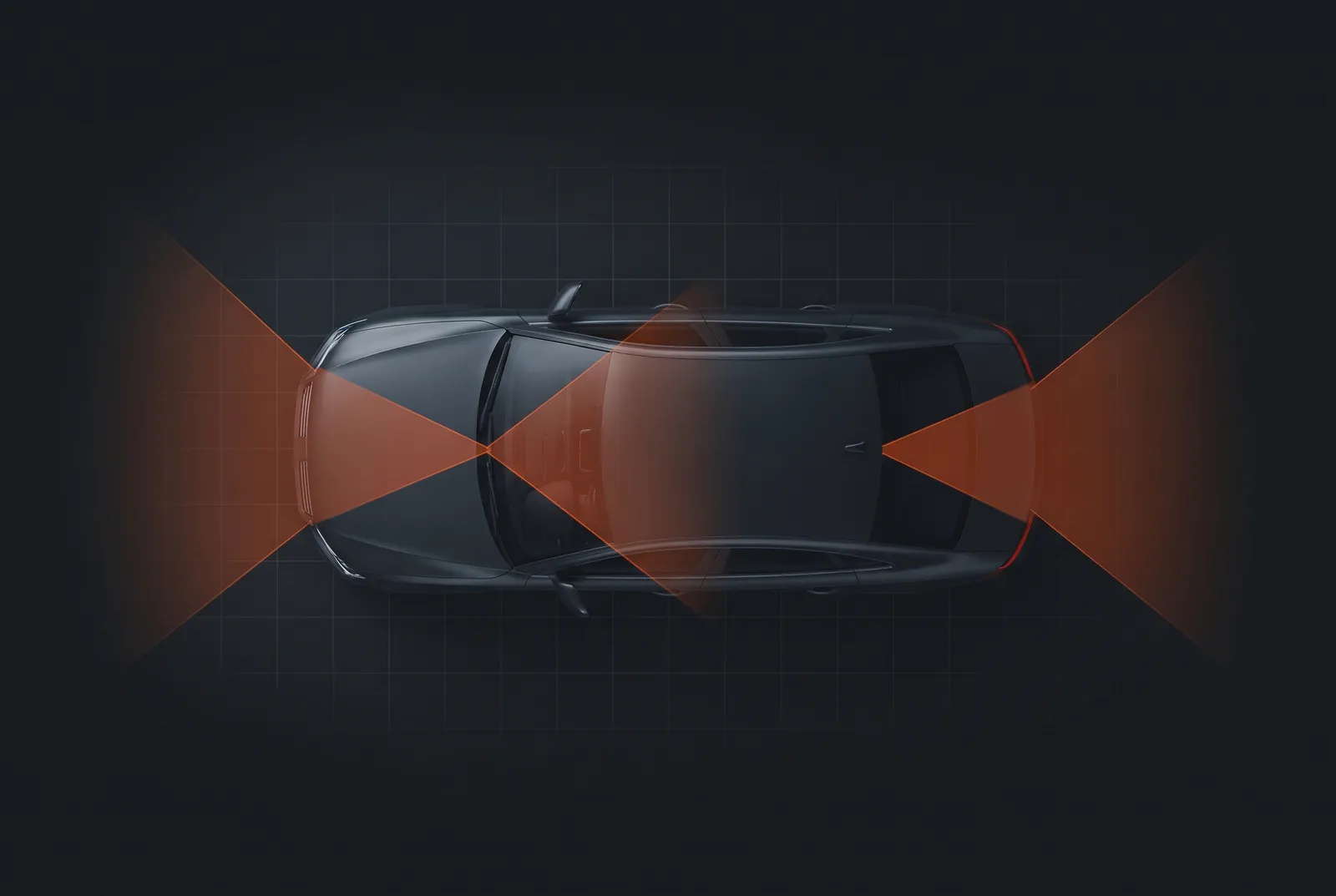
A front camera covers the road ahead. A rear camera covers rear-end hits and tailgaters. A cabin camera covers what happens inside the car, which helps if you carry clients, and creates the most legal exposure of the three. Most investigators and security drivers who ride alone are well served by front and rear.
Parking mode and power
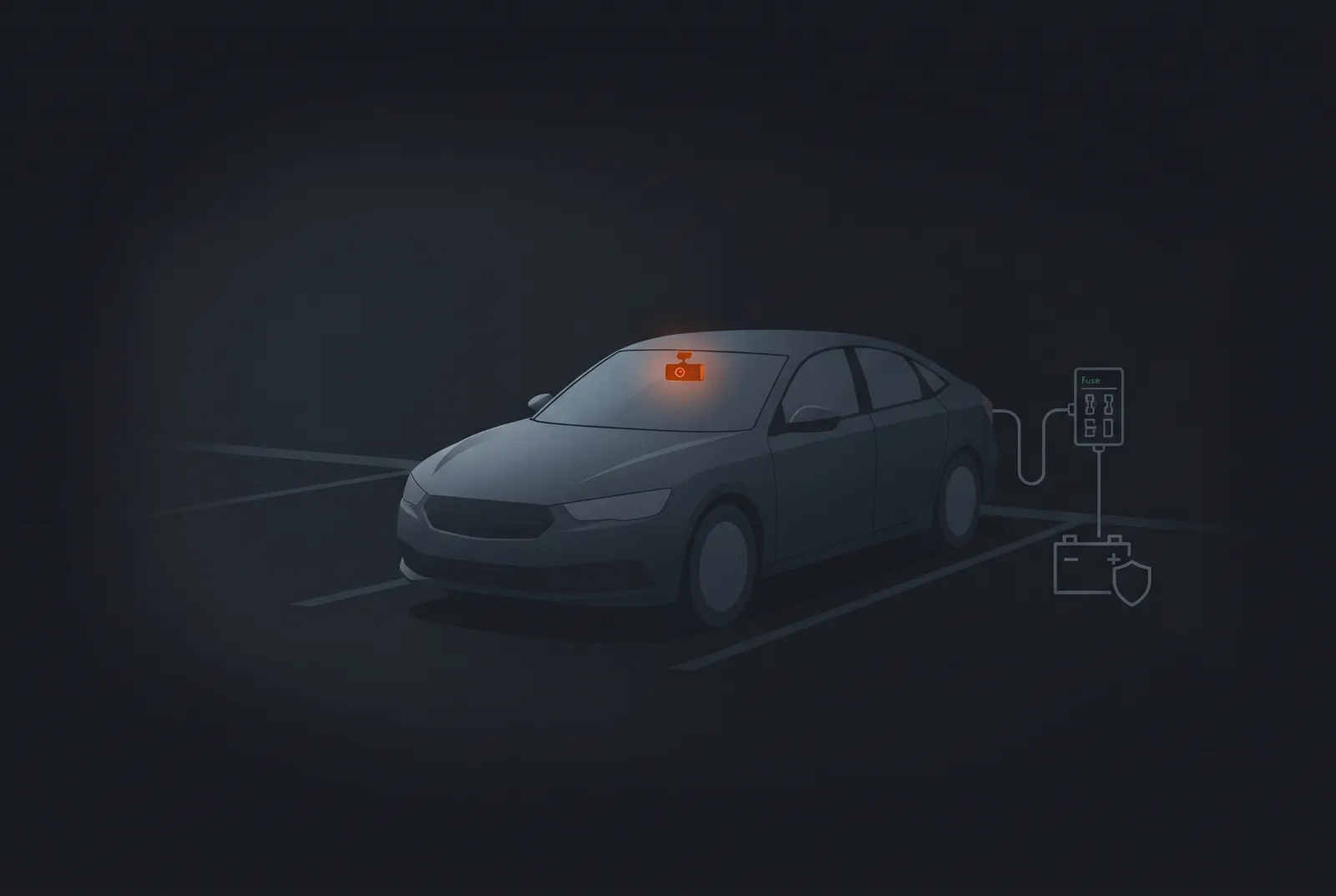
If your car sits unattended during a stakeout, a hit-and-run or a break-in can happen while you are away. Buffered parking modes save the seconds before and after an impact or motion. A hardwire kit powers the camera from the fuse box with voltage protection. If you are not comfortable with fuse-box work, have a qualified installer do it, and get permission first if the vehicle is not yours.
Cloud or local storage?
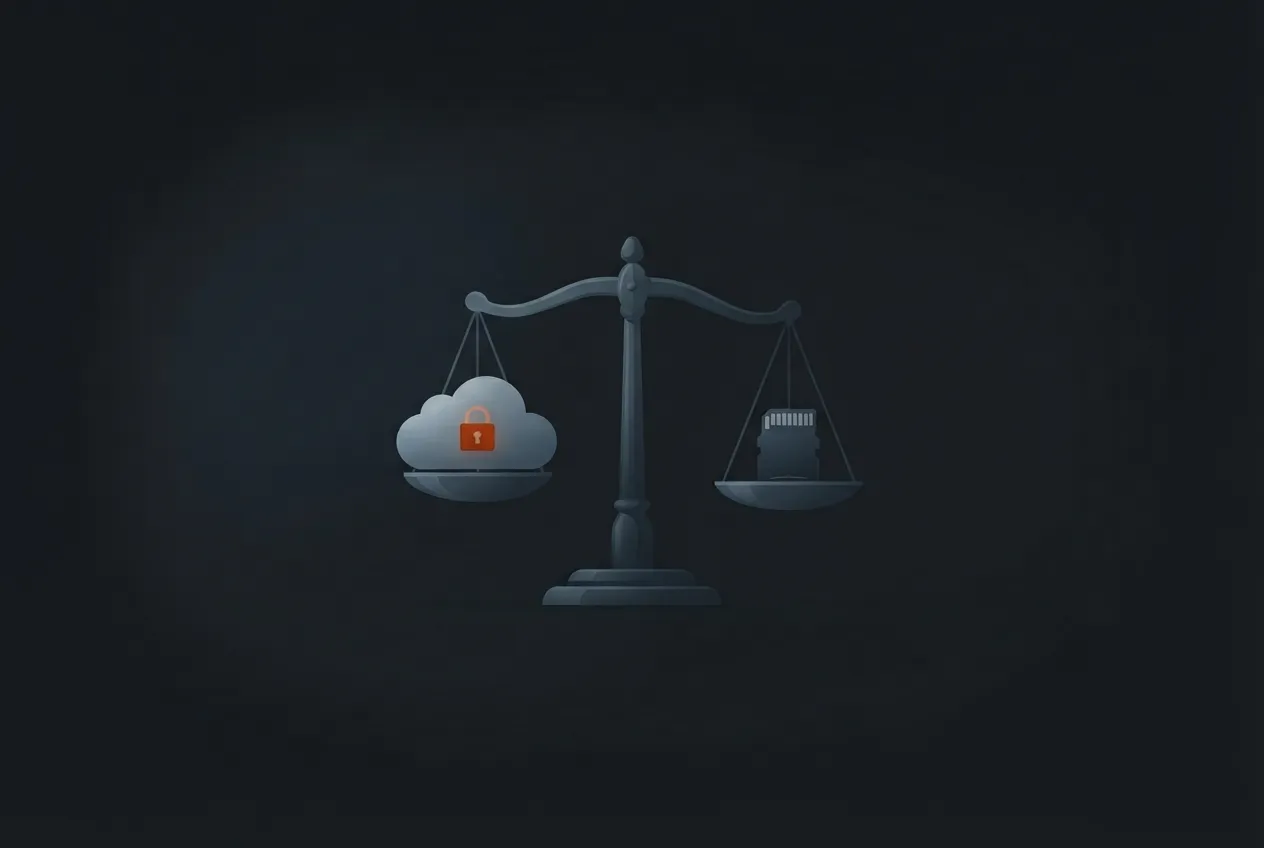
Cloud-connected cameras give you off-device backups and alerts. For client work, there is a catch. Footage sits with a third party, which may conflict with client confidentiality or your employer’s rules. Some cloud apps and share links may deliver a re-encoded copy that drops metadata such as GPS and time, so download the original file from the camera or app where possible. A sensible setup for sensitive work: record locally as the main record, and use cloud only for alerts.
The law: audio is where professionals get caught
Most dash cams record audio by default. Video of a public road is generally not the problem. Audio is. Federal law (18 U.S.C. § 2511(2)(d)) allows a person who is part of a conversation, or who has one party’s consent, to record it, unless the recording is made to commit a crime or a tort. Many states follow that one-party rule, but some do not. The Reporters Committee for Freedom of the Press says about 11 states primarily require all-party consent: California, Delaware, Florida, Illinois, Maryland, Massachusetts, Michigan, Montana, New Hampshire, Pennsylvania and Washington. Its guide adds several caveats. Michigan’s rule applies at least to recordings made by someone who is not part of the conversation. Connecticut and Nevada require everyone’s consent for phone calls but not in-person talks, while Missouri and Oregon do the reverse. Hawaii and Maine require it only in particularly private places. Courts also look at whether people had a reasonable expectation of privacy, and when people are in different states the guide advises assuming the stricter law applies. In California, recording a confidential conversation without everyone’s consent is a crime under Penal Code § 632.
If you carry clients, subjects or colleagues, the safe default is to turn audio off or post a visible notice. Many investigators record video only. Using a vehicle for targeted surveillance can also raise licensing, privacy and harassment issues, so know your license’s scope. Check employer policy and client contracts before installing a camera, because footage can capture a client’s property or a colleague’s conversation. This is general information, not legal advice.
From the field — Yair Arad
Most of my surveillance work ran on hidden cameras, so a dash cam was never the star of my kit. It earned its place anyway, for two reasons.
The first is protection. When you spend hours parked where you are not supposed to look interested, you are always one bad encounter or one bad claim away from a problem. A dash cam is a quiet witness. It does not take sides and it does not forget a timestamp. Knowing it was recording let me do the job without wondering how I would show what really happened if anyone ever questioned it.
The second reason is less obvious. Your memory is not as good as you think. After a long day, details that felt unforgettable at noon are blurry by the time you sit down to write the report. Replaying the drive, I would catch things I missed in the moment: a time, a sequence, a plate I had only half read. It made my reports tighter and easier to defend.
I did not start out with the right tool. Early on I used a GoPro (I no longer remember the model) and my phone as makeshift dash cams. They got the job done, but a camera built for this purpose is the better tool, and I wish I had known what to buy back then. That is why I treat a dash cam as part of the kit, not an extra, and why I wrote this guide.
Practical tip: test before your first job. Before you rely on a new dash cam, record a test drive at dusk. Play it back on a computer, not just the phone app. Check that the timestamp and GPS overlay are correct, that plates are readable at normal following distance, and that the audio setting is what you intended. Fix problems before they matter.
Handling footage so it holds up
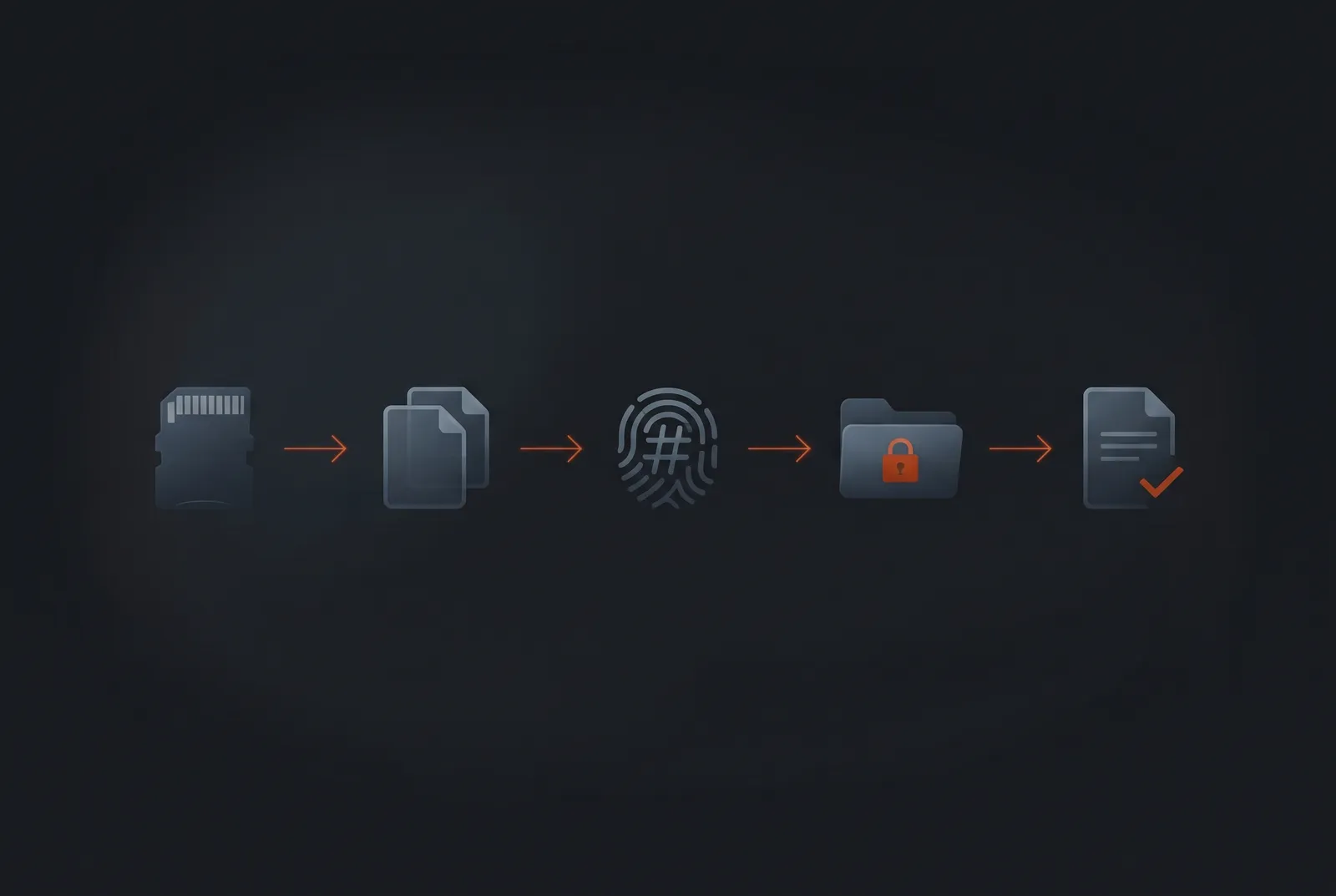
- Save the clip right away. Loop recording can overwrite a crash within hours.
- Never edit the original. Copy it and work on the copy.
- Keep the original card or file and hand over the original, not a re-encoded copy, to insurers, police or your attorney.
- Record a hash value (such as MD5) of the original file. It gives you a fingerprint to show it has not changed.
- Do not format the card until the matter is over.
- Write it into your report. Note the camera, the start time and the file name. Our incident report template has a spot for evidence like this.
- Log who handled it and when. That is your chain of custody.
- Download originals from the app, not compressed share links.
Common mistakes
- Choosing on the “4K” label alone and skipping GPS.
- Assuming a best-seller badge means a camera will last.
- Leaving audio on in an all-party-consent state.
- Forgetting that parking mode needs a hardwire kit.
- Letting a cheap memory card fail silently.
- Editing the only copy of important footage.
Frequently asked questions
What is the best dash cam for a private investigator?
For most investigators, a front-and-rear camera with native 4K video and GPS is the strongest all-round choice. Among the cameras we compared, the VIOFO A229 Pro fits that description. If staying unnoticed matters more than evidence detail, a small camera like the Garmin Mini 2 hides easily but has no GPS.
Do I need a 4K dash cam, or is 1080p enough?
1080p records a usable general record of a drive. 4K adds pixels that can help with plates and distant detail, but only if the camera records native 4K from a good sensor at a healthy bitrate. A listing that says upscaled 4K is not the same as native 4K, so check the sensor and recording specs.
Do I need a three-channel dash cam?
Only if you need to record inside the car. Front and rear cover the road and rear-end collisions. A cabin camera helps if you carry clients or colleagues and may face a claim about what happened inside, but it adds consent and confidentiality questions, especially if it records audio.
Does GPS make dash cam footage better evidence?
GPS stamps location and speed into the video, which helps show where and when a clip was recorded. It does not guarantee a court will accept the footage. A correct clock, an untouched original file and a clear chain of custody matter just as much.
Can dash cam footage be used in court?
It can be. Under Federal Rule of Evidence 901, the party offering footage must produce enough proof that it is what they say it is. A witness with knowledge, such as the person who installed the camera, can help, along with GPS and timestamp data. Keep the original file, record a hash value and log who handled it. State rules vary, so ask an attorney.
Is it legal to record audio in my car?
It depends on your state. Federal law allows you to record a conversation you are part of, unless it is for a criminal or tortious purpose, but about 11 states, including California, Florida and Pennsylvania, primarily require everyone’s consent, and rules differ for phone calls and private places. If you carry clients, subjects or colleagues, turn audio off or post a notice, and check your state statute.
How does parking mode work, and will it drain my car battery?
Parking mode records while the car is off, either when it detects impact or motion or continuously, depending on the camera. It needs constant power from a hardwire kit. Choose a kit with a low-voltage cutoff so the camera shuts off before it can drain the starter battery. See our step-by-step guide to hardwiring a dash cam.
What memory card and how much storage do I need?
Use a high-endurance microSD card and test playback monthly. DashCamTalk lists average bitrates of 57 Mbps front and 25 Mbps rear for the VIOFO A229 Pro, which works out to about 37 GB per hour of dual-channel recording (our calculation, not a manufacturer figure). That is roughly 3.5 hours on a 128 GB card, 7 on 256 GB and 14 on 512 GB, before formatting overhead, and bitrates vary with the scene. Loop recording then overwrites the oldest files.
Should I use cloud storage for dash cam footage?
Only if you have thought through client confidentiality. Cloud gives you off-device backups and alerts, but footage sits with a third party, and some apps may re-encode files, which can drop metadata such as GPS and time. Many professionals record locally and use the cloud only for alerts.
How do I save dash cam footage so it can be used as evidence?
Save the clip right away so loop recording cannot overwrite it. Copy the original, never edit it, and keep the original card or file. Record a hash value, do not format the card until the matter is over, and log who handled the file and when.
Will a dash cam protect me from a false claim after a crash?
It gives you a timestamped record of what happened, which can help your insurer or attorney, but it does not decide the outcome. Footage can also show you at fault. Keep the original file and talk to your insurer or an attorney before sharing it.
Are Amazon best sellers the best dash cams?
They are the most popular, not necessarily the best. Sales badges are rounded and change often, and they say little about long-term reliability. Use them as one signal alongside specifications, sensor quality and independent review scores.
Sources
- Amazon search results, October 2026: best dash cam front and rear, 4K dash cam
- DashCamTalk: VIOFO A229 Pro, VIOFO A329, Vantrue N4 Pro S, Garmin Dash Cam Mini 2
- VIOFO product pages: A329 2CH, A329S 2CH
- Reviews: PCWorld, Garmin Mini 2, Pocketables, Vantrue N4 Pro
- Reporters Committee for Freedom of the Press, Reporter’s Recording Guide (state recording-consent summary)
- 18 U.S.C. § 2511, Cornell Legal Information Institute
- Federal Rule of Evidence 901, Cornell Legal Information Institute (authenticating evidence)
Amazon sales signals checked October 22, 2026.
Legal disclaimer: This page is for general information and education only. It is not legal advice, and reading it does not create an attorney-client relationship. Security Dogma is not a law firm. Laws, licensing rules and court decisions vary by state and change often, and what is written here may not match your situation or be current when you read it. Before you act on anything here, check the official rules from your state licensing agency, follow your employer’s and client site’s policies, and talk to a licensed attorney in your state for legal questions. See our Terms and Conditions and how facts are checked in our Editorial Policy.