

Security Dogma is reader-supported. When you buy through links on this page, we may earn a commission at no extra cost to you. As an Amazon Associate I earn from qualifying purchases. Learn more
Most security cameras assume two things: a Wi-Fi network and a power outlet. A cabin, farm building, job site or piece of vacant land often has neither. You can still watch it, but you need to know which problem you are actually solving, because “no Wi-Fi”, “no internet” and “no power” have different fixes.
Quick answer
- No Wi-Fi but phone signal: a cellular (4G LTE) camera sends alerts and video over the mobile network.
- No internet and no signal: a camera that records locally, to a memory card or an on-site recorder. You see footage only when you visit.
- No power: battery cameras with a solar panel, sized for the darkest month of the year.
- Best on most remote sites: a solar-powered cellular camera, plus a plan for what happens if it is stolen.
How we chose the examples in this guide: research only. We have not tested these cameras. Specs come from each manufacturer’s website, checked October 30, 2026.
Four ways to run cameras without Wi-Fi
| Setup | How it works | Remote alerts | Needs | Main weakness |
|---|---|---|---|---|
| Cellular camera | A SIM card sends video over the mobile network | Yes | Phone signal at the camera, a data plan | Weak signal means slow or missed alerts |
| Local-only camera | Records to a memory card or built-in storage | No | Power only | A thief can take the footage with the camera |
| Wired cameras + recorder (PoE) | Cameras cabled to a recorder that stores video on site | Only if the recorder has internet | Mains power, cable runs | Needs power and installation; recorder is a target |
| Mobile hotspot + Wi-Fi cameras | A cellular router creates a local Wi-Fi network | Yes | Power for the router, a data plan | The router needs constant power, and it is one more failure point |
For most owners of a remote property with phone signal, a cellular camera is the simplest choice. Wired systems make sense on sites with mains power, such as a farm building or an occupied second home.
What fails, and where your evidence survives
On a remote site, plan for failure before it happens. Four common failures:
- Signal drops. A cellular camera can still record to its own memory, but you won’t get an alert until it reconnects.
- Power runs out. Long cloudy spells, short winter days or a shaded panel drain the battery. When it is empty, the camera records nothing.
- The camera is stolen or smashed. Anything stored only inside it goes with it.
- Storage fills or overwrites. Many cameras record over old footage when the card is full.
Where your evidence survives matters more than resolution:
- Uploaded to the cloud or your phone: survives theft of the camera.
- On the camera’s card or internal memory: lost if the camera is taken.
- On an on-site recorder: survives if the recorder is hidden or locked away, lost if the thief finds it.
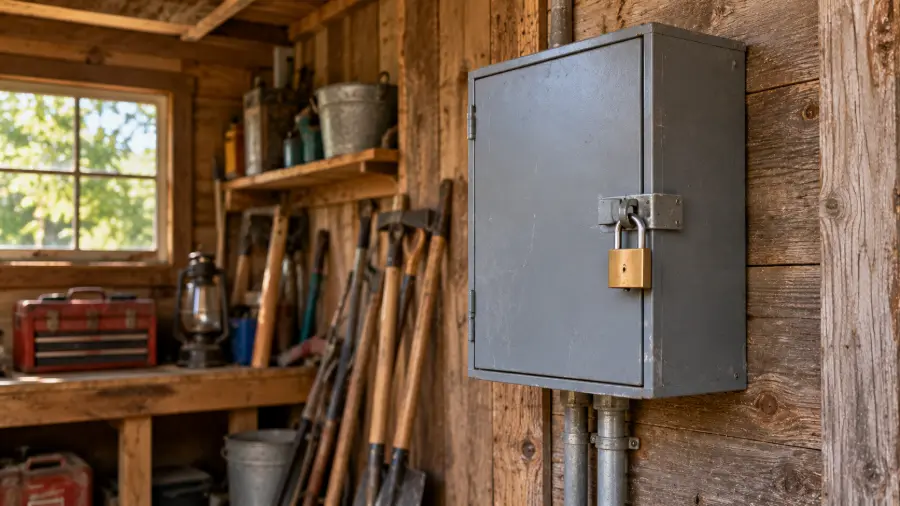
A cellular camera that uploads clips as they happen gets evidence off the site within moments. That is its biggest advantage over local-only recording.
Before you buy: check these at your site
- Signal at the exact mounting spot. Stand where the camera will go and check your phone’s signal on each carrier you can. A few yards can make the difference.
- Which networks the camera supports. Some work with several US carriers, others with one or two.
- Whether a SIM is included, and what happens when its starter data runs out.
- The data plan’s limits. Look at how many photos, clips or live-view sessions each tier includes. Live view uses far more data than motion clips.
- Local storage as a backup when the signal drops.
- Operating temperature range, especially for sites with hard winters.
- Wi-Fi fallback or 4G only. Some cameras use Wi-Fi when it exists and switch to cellular when it doesn’t. Others are cellular only.
Solar power: plan for the worst month
Solar makes a remote camera practical, but only if the panel can keep up through the darkest weeks of the year. A common mistake is planning around summer.
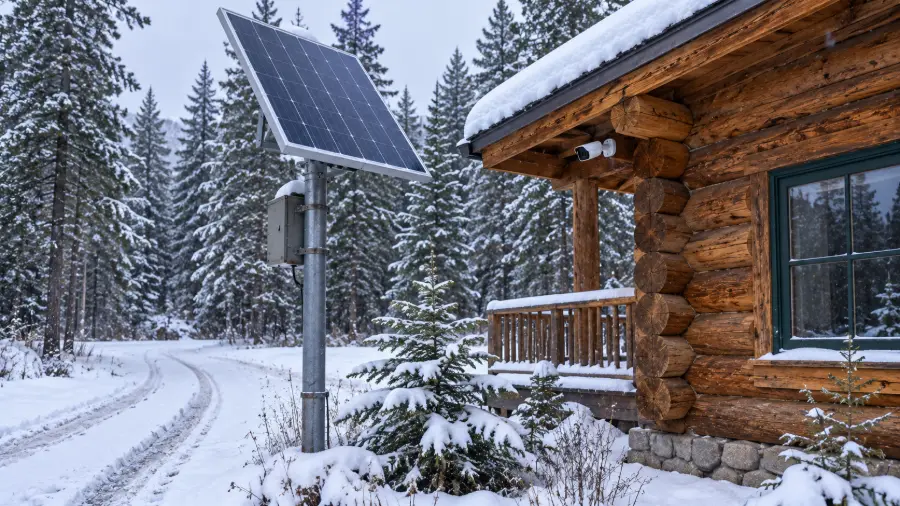
- Size for winter. Short days, low sun and snow all cut charging. If it works in December, it will work in June.
- The panel and camera don’t need the same spot. Put the camera where it sees the approach and the panel where it gets the most sun, connected by the cable. A camera on a shaded north wall can still be charged by a panel on the roof.
- Check for shade across the seasons. A tree that is bare in winter casts no shade then; one in leaf might in summer. Buildings cast longer shadows in winter.
- Know your battery reserve. Manufacturers publish estimates of how long a camera runs without sun, under their own test conditions. Treat these as best cases.
- Check the charging temperature range. Many batteries charge only within a narrower temperature range than the camera operates in. Look for this in your camera’s manual before relying on solar in freezing weather.
- Plan maintenance visits. Clean the panel and lens, clear snow and leaves, and check the angle after storms.
Cheap unbranded 4G cameras: how to judge them
Online marketplaces are full of cheap 4G cameras from brands you have never heard of. Some work. Before buying one, check:
- Who supports it. Is there a real company website with manuals, firmware updates and a working support contact?
- Which app it uses. Is it a known app with recent updates, or a generic one with poor reviews?
- Network bands. Does the listing name the US LTE bands it supports? If not, it may not work well with US carriers.
- Data plan terms. Claims of “lifetime free data” deserve skepticism. Find out who provides the service and what happens when the free period or allowance ends.
- Realistic specs. Very high resolution, long battery life and long night range in a very cheap camera are often marketing, not measurements.
For general advice on keeping any camera secure, see the hacking section of our home security camera guide.
Make your footage usable
In my experience, footage helps police or an insurer only when two things are true: the timestamp is right, and the file is in its original format.
- Set the date, time and time zone when you install, and check them after every battery change or reset.
- Download and keep the original file. A screen recording or edited clip is weaker evidence.
- Learn how to export a clip before you need to.
- Save important clips straight away, before the camera overwrites them or someone takes it.
Examples worth a look (research-based, not tested)
These cameras come from established brands that publish clear specs and plan terms. We have not tested them. Figures and claims are the manufacturers’ own.
eufy 4G LTE Cam S330
4K · pan and tilt · Wi-Fi + 4G · solar panel · 9,400 mAh battery
eufy says it switches to 4G automatically if Wi-Fi is lost, and that it can run about a month without sun under its test conditions. eufy lists an operating range of −4°F to 122°F.
Watch out for: It includes a SIM with a small trial data allowance; after that, data is bought separately as prepaid bundles.
See current price →Reolink Go PT Ultra
4K · 355° pan / 140° tilt · 21.6 Wh battery · microSD up to 128GB · IP64
According to Reolink, it runs on 4G only and does not use Wi-Fi at all. The linked listing is a bundle with a Reolink solar panel. Reolink estimates live view at default quality uses about 1.3GB per hour.
Watch out for: Reolink lists an operating range of 14°F to 131°F, so check that against your winters.
See current price →Tactacam DEFEND 360
4K photos · pan, tilt and zoom in Live View · solar + battery · 8GB · IP65
A cellular camera with a solar panel and rechargeable battery, sold for US use. It runs on Tactacam’s DEFEND app and data plans.
Watch out for: Live View is limited to a few sessions a month on lower plan tiers and unlimited only on the top tier.
See current price →Local-only option. If the property has power but no signal, a wired PoE camera kit with a recorder records without internet. Hide or lock away the recorder, since it holds all the footage.
Comparing these with a trail camera? See trail camera vs. security camera.
Privacy and audio
This is general information, not legal advice. Point cameras at your own property, not neighbors’ homes. Some states require consent from everyone in a conversation before recording audio, so turn audio off if you are unsure. See our overview of recording laws. If you lease the land, get the owner’s permission first.
FAQ
Can a security camera work with no internet at all?
Yes. A local-only camera records to its own memory card or built-in storage, and a wired system records to an on-site recorder, without any internet connection. The trade-off is that you won’t get alerts or remote viewing, so you only see what happened when you visit. Because the footage stays on site, hide or lock away the storage so a thief can’t take the evidence along with the camera.
Do cellular security cameras need a data plan?
Yes. They send alerts and video over the mobile network, so you need a plan or prepaid data, even if the camera comes with a starter allowance. Before you buy, check what happens when that allowance runs out, how many clips or live-view sessions each tier includes, and whether you can change or pause the plan in months when you don’t need coverage.
How much data does a cellular camera use?
It depends mostly on how often it triggers and how much live view you use. Short motion clips use relatively little data, while live view uses far more: Reolink, for example, estimates about 1.3GB per hour of live view at default quality for the Go PT Ultra. To keep data use down, narrow the detection zones, lower sensitivity where trees or a road cause false triggers, and keep live-view sessions short.
Will a solar camera work in winter?
It can, if the panel gets direct sun for part of the day and the battery has enough reserve for cloudy stretches. Size the setup for the darkest month, keep the panel clear of snow, and place it where nothing shades it in winter. Check the camera’s operating temperature range and the battery’s charging range too, since many batteries charge only within a narrower range than the camera operates in.
Can I use my phone’s hotspot for a camera?
Only while you are there. A phone hotspot leaves when you leave with the phone, and the camera loses its connection. For permanent coverage, use a cellular camera with its own SIM, or a powered 4G router that creates a local Wi-Fi network for your cameras. Keep in mind that the router needs constant power and a data plan of its own.
For placement, night vision and camera security basics, see our home security camera guide. For the full remote-property plan, see rural and remote property security.
Legal disclaimer: This page is for general information and education only. It is not legal advice, and reading it does not create an attorney-client relationship. Security Dogma is not a law firm. Laws, licensing rules and court decisions vary by state and change often, and what is written here may not match your situation or be current when you read it. Before you act on anything here, check the official rules from your state licensing agency, follow your employer’s and client site’s policies, and talk to a licensed attorney in your state for legal questions. See our Terms and Conditions and how facts are checked in our Editorial Policy.