

Security Dogma is reader-supported. When you buy through links on this page, we may earn a commission at no extra cost to you. As an Amazon Associate I earn from qualifying purchases. Learn more
A house in a neighborhood has one big advantage: someone is usually around to notice. A cabin you visit twice a season, a barn at the far end of a field, or a lot with a trailer and a fuel tank does not. Nobody sees the cut chain, and nobody hears the engine at 2 a.m. By the time you find out, the trail is cold.
That changes how you protect it. This guide uses the same four jobs security professionals use on any site (deter, detect, delay and respond), adjusted for property you can’t watch in person and that may have no power or internet.
Quick answer
- Walk the property like a security post. Find every way in, what is worth taking, and what can be seen from the road.
- Make it look watched and hard to work on. A locked gate, signs, visible cameras and a cared-for look turn people away.
- Get alerts, not just recordings. On a remote site, a camera that only records tells you what you lost. You need to know while it is happening.
- Decide who responds before you need them. A neighbor, a caretaker and the local police number, all set up in advance.
- Keep evidence usable. Correct timestamps and the original files matter more than resolution.
Our picks for remote property
Research-based picks: we have not tested these cameras. Specs are the manufacturers’ own, checked October 30, 2026.
Moultrie EDGE 3
40MP photos · 1080p video · 0.5 s trigger · 50° view · 100 ft flash
Moultrie says it connects to all four major US networks and stores to built-in memory, so there is no card to steal or corrupt. It has GPS, a USB-C power input, and works with Moultrie’s solar pack.
Watch out for: Moultrie states that all its cellular cameras require a paid subscription.
See current price →SPYPOINT FLEX-M2
32MP photos · 1080p video · 0.4 s trigger · 90 ft range · dual SIM
An entry-level cellular camera with two SIMs. SPYPOINT lists low-glow LEDs and 90-foot flash and detection ranges.
Watch out for: The free plan is limited to 100 photos a month per camera.
See current price →Reolink Go PT Ultra
4K · 355° pan / 140° tilt · 21.6 Wh battery · microSD up to 128GB · IP64
According to Reolink, it runs on 4G only and does not use Wi-Fi at all. The linked listing is a bundle with a Reolink solar panel. Reolink estimates live view at default quality uses about 1.3GB per hour.
Watch out for: Reolink lists an operating range of 14°F to 131°F, so check that against your winters.
See current price →Why remote property is different
Most home security advice assumes an occupied house in a populated street. Remote property breaks those assumptions in four ways:
- No witnesses. Neighbors are far away or absent, so nobody reports a strange vehicle.
- Long gaps between visits. A break-in can sit unnoticed for days or weeks, which makes recovery and investigation harder.
- Value sits outside. Equipment, tools, trailers, fuel, ATVs and building materials are often in sheds, yards or open fields rather than behind a front door.
- Limited power and internet. Many standard cameras and alarms assume Wi-Fi and an outlet. A remote site may have neither, which narrows your options.
The last point decides much of your equipment. Before buying anything, find out what power and phone signal you actually have at each spot you want to cover.
Walk the site like a security post
When I secured large logistics warehouses against cargo theft, the weak points were rarely the obvious ones on the floor plan. They were the gaps in coverage and the lack of people who could respond in time. A remote property has the same weaknesses on a smaller scale, and the fix starts the same way: walk it the way someone would approach it to steal from it.
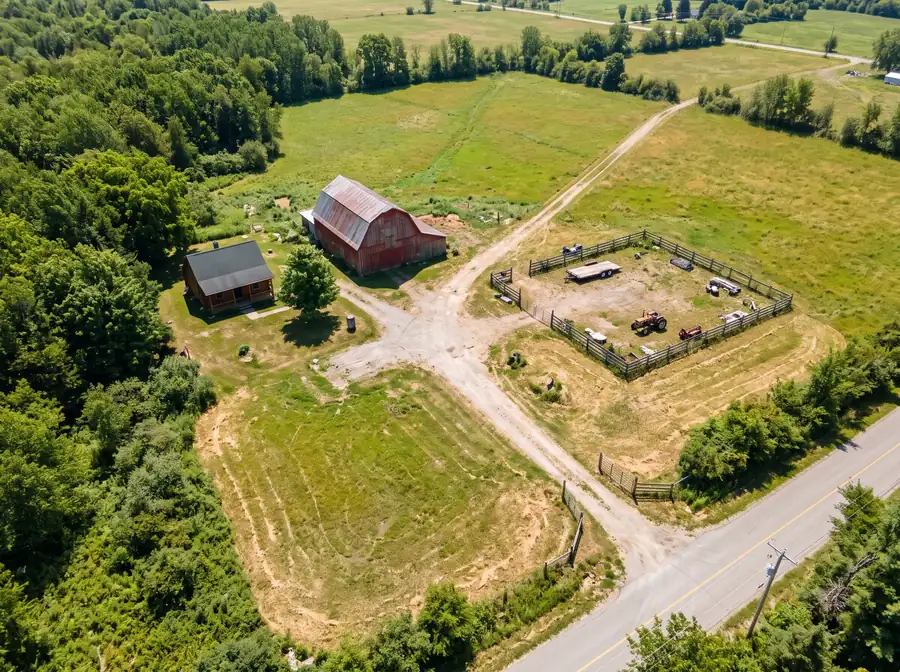
On your walk, note:
- Every way in: the main road and gate, field edges, tracks, neighboring land, and water access if there is any.
- What is worth taking and where it sits: equipment, tools, fuel, trailers, solar panels, copper and appliances in empty buildings.
- What is visible from the road. Equipment in plain view advertises itself.
- Where you have power and phone signal. Check signal with your phone at each spot you want to watch, not just at the gate.
- Who is nearest: a neighbor, a farm hand, a caretaker, and how long police take to arrive in your area. Ask the local sheriff’s office if you don’t know.
That list becomes your plan. Each item falls into one of the four layers below.
Deter: look watched and hard to work on
Thieves look for property where they can work unseen and unhurried. Your job is to make yours look like the opposite.
- Control the vehicle route in. A locked gate across the driveway or access track stops easy loading of heavy items, even if someone can walk around it.
- Post signs. No-trespassing and camera signs tell visitors the property is watched. Signage rules vary by state; check your state’s requirements if you want signs to carry legal weight.
- Make cameras visible where you want deterrence. A camera someone can see does part of its job before it records anything.
- Add motion lighting at buildings and gates. Solar motion lights need no wiring.
- Look cared for. Mowed grass, an empty mailbox and no piled-up flyers say someone checks in.
- Put things away. Ladders, tools and keys left out make the job easier.
The same principles for an occupied home are in how to secure your home, and our vacation security checklist covers making a property look lived-in while you are away.
Detect: know while it is happening
Detection on a remote site means two things: something notices, and the alert reaches you fast enough to act.
- Cellular cameras send photos or video over the mobile network, so they work without Wi-Fi.
- Trail cameras are cheap, discreet and run on batteries, but most are built to record wildlife, not to give you live security alerts.
- Local-only cameras record to a memory card or recorder on site. They work with no internet, but you only see footage when you visit, and a thief can take the recording with the camera.
- Alarms on doors of buildings that have power or a cellular connection add a second, independent alert.
Whichever you choose, check three things: does it work with the power and signal at that spot, how quickly does an alert reach your phone, and what happens to the footage if the camera is stolen or smashed.
For camera basics such as placement, night vision and keeping cameras from being hacked, see our home security camera guide. For alarms without a contract, see home security systems with no monthly fee.
Trail camera or security camera? See trail camera vs. security camera. No Wi-Fi or power at the site? See off-grid security cameras.
Delay: make it slow
Delay buys time for your alert to reach you and for help to arrive. It also turns away people who wanted a quick job.
- Lock outbuildings properly. Sheds and barns often have weak hasps and thin doors. A solid door, a quality padlock on a strong hasp, and hinges that can’t be unscrewed from outside all add time.
- Lock up what can be driven or towed away. Remove keys from equipment, lock trailer hitches, and park vehicles where they block each other or sit inside a locked building.
- Move small valuables inside a locked building, and bolt down anything that has to stay out.
- Secure the house itself with the same door and window steps as any home.
See door and window security, how to secure a garage door and our home safe guide for the details.
Respond: decide who acts before you need them
This is the layer most remote-property owners skip, and it is the one that decides whether an alert becomes a recovery or just a recording. In my warehouse work, coverage alone never solved the problem. What mattered was having someone able to respond when something was detected.
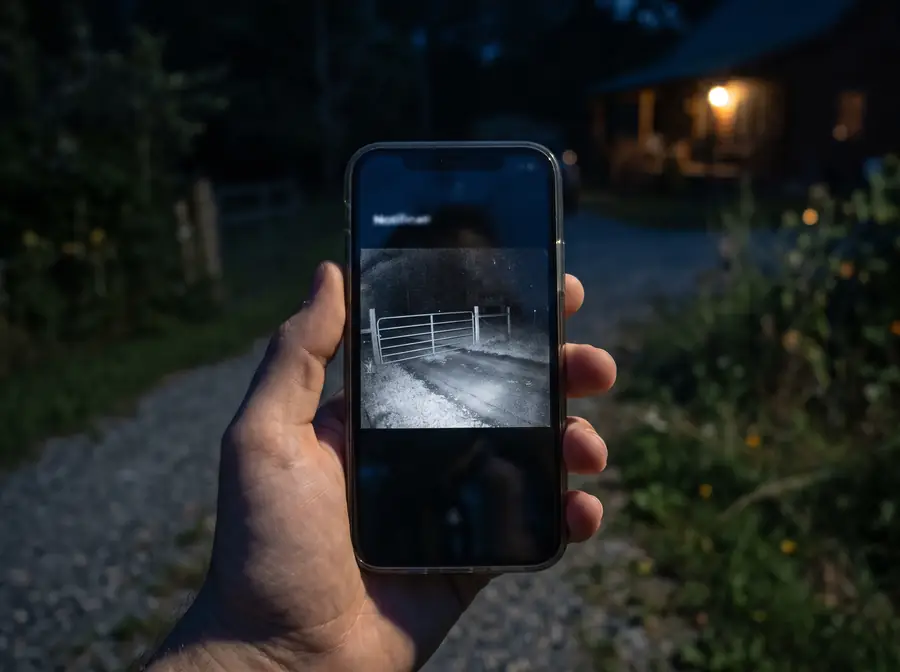
Set up your response before you need it:
- Decide who gets the alerts. You, and ideally someone who lives closer.
- Line up a nearby contact, such as a neighbor, caretaker or property manager, who can check the property when you can’t.
- Save the local police non-emergency number for the area where the property is, not where you live. Call 911 if a crime is in progress.
- Never confront intruders yourself, and don’t ask a neighbor to. Watch from a distance if it is safe, record what you can, and let police handle it.
- Tune out false alarms. Animals, branches and passing headlights cause many remote-camera alerts. If every alert is a deer, people stop checking.
- Keep an inventory: photos of equipment, serial numbers and receipts, stored somewhere other than the property. It speeds up police reports and insurance claims.
Make your evidence count
Footage only helps if police and insurers can use it. In my experience, two things decide that: the timestamp is right, and the file is in its original format. Without those, a clip is much harder to rely on.
- Set the date, time and time zone on every camera, and check them again after a battery change or reset.
- Keep the original file. Screen recordings and edited copies are weaker evidence.
- Know how to export a clip from your camera app before you need to.
- Save important clips right away. Many cameras overwrite older footage, and a stolen camera takes its memory card with it.
Our home security camera guide has more on making footage useful.
Legal basics
This is general information, not legal advice. Rules vary by state and sometimes by county.
- Permission: if you lease the land or the property is shared, get the owner’s permission before installing cameras.
- Privacy: point cameras at your own property. Avoid capturing neighbors’ windows or private areas.
- Audio: some states require everyone’s consent to record a conversation. If you are unsure, turn audio recording off. See our guide to recording laws for an overview.
- Public land and wildlife: if a camera might sit on public land or near a hunting area, check your state wildlife agency’s rules first.
- Trespass and signs: what counts as legal notice against trespassing differs by state.
Check with local authorities or an attorney for your specific situation.
Frequently asked questions
What is the first thing to do for a remote property?
Walk it with the five-point checklist above before you buy anything. Note every way a vehicle or person can get in, what is worth taking, what can be seen from the road, and where you actually have power and phone signal. That walk usually shows the biggest gap: often an open vehicle route in, or no way for anyone to find out about a problem until the next visit. Fix that gap first. Buying cameras before you know your signal and power is the most common way to waste money on a remote property.
Do I need internet at the property for cameras?
No. Cellular cameras use the mobile network, so they need phone signal at the mounting spot and a data plan, but no Wi-Fi or broadband. Local-only cameras record to a memory card or on-site recorder with no connection at all, but you only see footage when you visit, and a thief can take the recording with the camera. A wired system with a recorder needs mains power. If the property has usable phone signal, a cellular camera is usually the most practical choice, because it gets alerts and footage off the site as things happen.
Should I confront someone I see on my camera?
No. You don’t know who they are, how many there are, or what they are carrying, and nothing on the property is worth your safety or a neighbor’s. If a crime is in progress, call 911 and give the property’s address, what you see, and any vehicle details and direction of travel. Keep the camera recording, ask neighbors not to approach, and save the clips as soon as it is over. Your job is to report and preserve evidence; stopping the intruder is the police’s job.
How often should I visit?
Often enough that problems are found early: a break-in, storm damage, a leak or a dead camera battery can all sit unnoticed for weeks. Vary your days and times so your visits don’t form a pattern, and ask a trusted neighbor or caretaker to drive by between visits, especially after storms and during long holiday periods. Use each visit as a maintenance check: camera clocks and batteries, solar panels, locks, gates, and anything that looks disturbed.
Legal disclaimer: This page is for general information and education only. It is not legal advice, and reading it does not create an attorney-client relationship. Security Dogma is not a law firm. Laws, licensing rules and court decisions vary by state and change often, and what is written here may not match your situation or be current when you read it. Before you act on anything here, check the official rules from your state licensing agency, follow your employer’s and client site’s policies, and talk to a licensed attorney in your state for legal questions. See our Terms and Conditions and how facts are checked in our Editorial Policy.